

|
|


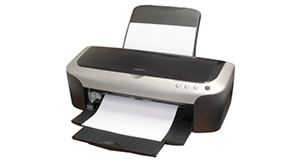
Epson DX3850 overview
Number of problems: 5
Number of solved problems: 1
Number of unsolved problems: 4
Problem resolution: 20%
Compared to other printers:
Epson DX3850 : Likelihood of getting a solution
Ranking: 99th out of 413
Most likely to get a solution:
Canon PIXMA 210 - problem resolution score of 100%
Canon PIXMA 210 - problem resolution score of 100%
Least likely to get a solution:
Brother DCP330C - 0 out of 19 problems solved
Brother DCP330C - 0 out of 19 problems solved
Solved problem list for the Epson DX3850
(Click on a problem to see the solution)Suddenly all my prints are coming off the printer as though they were taken through an orange filter. The pics look fine in normal preview and printer preview but despite head cleaning the results are the same
Unsolved problem list for the Epson DX3850
(Click on a problem to comment or help)when copying, printer (Epsom DX3850) only prints half of the page.
dx3850 worked,then claimed cartriges were the wrong type
just changed all inks-cannot get a cleadr print -lines missed unclear letter etc
I have a paper jam showing but have no paper in it!!!!!!!! All the internals look clean is there a sensor i need to clean???
Solutions for the Epson DX3850
0 people also had this problem.
Problem: Suddenly all my prints are coming off the printer as though they were taken through an orange filter. The pics look fine in normal preview and printer preview but despite head cleaning the results are the same
There are 0 comments on this problem.
Solution 1: Have had this problem. In my case both XP and Photoshop had been set to control colours. By allowing just one application to control the printing (Photoshop in my case) solved the problem.
0 out of 0 people found this solution helpful.
Was this solution helpful?
There are 0 comments on this solution.
1 out of 1 person found this solution helpful.
Was this solution helpful?
There are 0 comments on this solution.
All problems on this page have been submitted and answered by users. If you have a problem with the Epson DX3850
, please submit it below and we'll post it here.
 | Back to top |
Can you help?
If you can solve a currently unsolved problem, please select the problem you can solve from the list below.
Even if you can't solve it, you can still comment on problems if you think it would help.
Problem: when copying, printer (Epsom DX3850) only prints half of the page.
If you can solve a currently unsolved problem, please select the problem you can solve from the list below.
Even if you can't solve it, you can still comment on problems if you think it would help.
Jump to page:
[1]
0 people also had this problem.
Problem: when copying, printer (Epsom DX3850) only prints half of the page.
There are 0 comments on this problem.
0 people also had this problem.
Problem: dx3850 worked,then claimed cartriges were the wrong type
There are 0 comments on this problem.


