

|
|


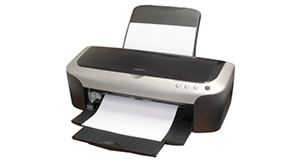
Epson DX4000 overview
Number of problems: 34
Number of solved problems: 2
Number of unsolved problems: 32
Problem resolution: 6%
Compared to other printers:
Epson DX4000: Likelihood of getting a solution
Ranking: 140th out of 413
Most likely to get a solution:
Canon PIXMA 210 - problem resolution score of 100%
Canon PIXMA 210 - problem resolution score of 100%
Least likely to get a solution:
Brother DCP330C - 0 out of 19 problems solved
Brother DCP330C - 0 out of 19 problems solved
Solved problem list for the Epson DX4000
(Click on a problem to see the solution)i have the same status paper jam, but there is no paper jam in printer
BANDING PERSISTS EVEN AFTER CLEAN AND INK CHANGE
Unsolved problem list for the Epson DX4000
(Click on a problem to comment or help)Worked fine with XP. With Windows 7 will print ok but not scan. Have loaded Epson Scan rom original disk but won't scan.
epsondx4000 will not print even in b/w .magenta and cyan ink levels low,but black and yellow seem ok.do the low ink levels stop it printing even b/w
Solutions for the Epson DX4000
0 people also had this problem.
Problem: i have the same status paper jam, but there is no paper jam in printer
There are 0 comments on this problem.
Solution 1: i think its an epson con,printed 4 pages with new cartridges [epson ones] got the paper jam remark on the screen and the only way to get rid of it was to take all the cartridges out and replace with new ones .the old ones were 90 percent full so i think epson have gone over the top with this new software they have put on the chips it has not got a clue what level the inks at so it throws up there is a paper jam when there is no paper in the dam thing by the way my printer is the sx515w but software may be in other printers as epson want us to spend more and more money , i have sent my printer back as 80 pounds for 4 A4 prints is to expensive at 20 pound a sheet sorry ive only got the paper jam sorted but it may come back at any time. GET RID!!!
0 out of 0 people found this solution helpful.
Was this solution helpful?
There are 0 comments on this solution.

0 people also had this problem.
Problem: BANDING PERSISTS EVEN AFTER CLEAN AND INK CHANGE
There are 0 comments on this problem.
Solution 1: Had the same problem and nothing would fix it. Dumped it and bought a different brand that was cheaper then a new set of Epson inks even.
0 out of 0 people found this solution helpful.
Was this solution helpful?
There are 0 comments on this solution.
Jump to page:
[1]


