

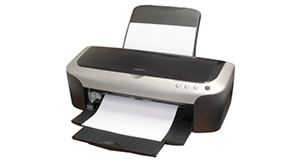
|
|


Epson DX5000 overview
Number of problems: 7
Number of solved problems: 0
Number of unsolved problems: 7
Problem resolution: 0%
Compared to other printers:
Epson DX5000 : Likelihood of getting a solution
Ranking: 403rd out of 413
Most likely to get a solution:
Canon PIXMA 210 - problem resolution score of 100%
Canon PIXMA 210 - problem resolution score of 100%
Least likely to get a solution:
Brother DCP330C - 0 out of 19 problems solved
Brother DCP330C - 0 out of 19 problems solved
Solved problem list for the Epson DX5000
(Click on a problem to see the solution)There are no solved problems listed on our records for this printer. To submit a problem or give a solution for an unsolved problem, please see the list on the right.
Unsolved problem list for the Epson DX5000
(Click on a problem to comment or help)The colours are printing wrongly; i.e: blue comes out as pink to blue with various shades of mauve. ALSO, If I try to print text (black ink), series of lines are missing, and some lines are only printing the top half or bottom half of line. I've cleaned it etc. followed all advice. No good. Even installed an updated driver = No different.
my printer will not print in black (full black cartridge) and all other colours are fine
will not print . paper feeding through but just a few dots. new cartridges installed. printed a couple of sheets but no more. checked leads etc
printer is printing small letters and make it hard to read can i adjust size of print
My printer is online & ready but refuses to print,have tried every trouble shooting possible,still no printing
will not print in black all other colours are fine
My printer is set to default black print and I change it to colour as needed. However, my printer will not print when I need to insert a new colour even though I am only printing in black and there is plenty of black ink.
The paper does not feed into the printer correctly. It is taken from one side onle thereby causing a jam
All problems on this page have been submitted and answered by users. If you have a problem with the Epson DX5000
, please submit it below and we'll post it here.
 | Back to top |
Can you help?
If you can solve a currently unsolved problem, please select the problem you can solve from the list below.
Even if you can't solve it, you can still comment on problems if you think it would help.
Problem: The colours are printing wrongly; i.e: blue comes out as pink to blue with various shades of mauve. ALSO, If I try to print text (black ink), series of lines are missing, and some lines are only printing the top half or bottom half of line. I've cleaned it etc. followed all advice. No good. Even installed an updated driver = No different.
If you can solve a currently unsolved problem, please select the problem you can solve from the list below.
Even if you can't solve it, you can still comment on problems if you think it would help.
Jump to page:
[1]
0 people also had this problem.
Problem: The colours are printing wrongly; i.e: blue comes out as pink to blue with various shades of mauve. ALSO, If I try to print text (black ink), series of lines are missing, and some lines are only printing the top half or bottom half of line. I've cleaned it etc. followed all advice. No good. Even installed an updated driver = No different.
There are 0 comments on this problem.
0 people also had this problem.
Problem: my printer will not print in black (full black cartridge) and all other colours are fine
There are 0 comments on this problem.
0 people also had this problem.
Problem: will not print . paper feeding through but just a few dots. new cartridges installed. printed a couple of sheets but no more. checked leads etc
There are 0 comments on this problem.


