

|
|


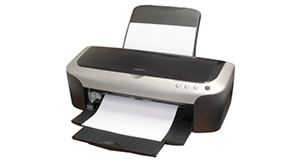
Canon MP390 overview
Number of problems: 11
Number of solved problems: 4
Number of unsolved problems: 7
Problem resolution: 36%
Compared to other printers:
Canon MP390: Likelihood of getting a solution
Ranking: 68th out of 413
Most likely to get a solution:
Canon PIXMA 210 - problem resolution score of 100%
Canon PIXMA 210 - problem resolution score of 100%
Least likely to get a solution:
Brother DCP330C - 0 out of 19 problems solved
Brother DCP330C - 0 out of 19 problems solved
Solved problem list for the Canon MP390
(Click on a problem to see the solution)Display is showing "Waste Ink Tank Full"
Prints are coming out too dark
Very low print quality
Genuine original Canon vs Compatible & Refill Cartridges - which should I use?
Unsolved problem list for the Canon MP390
(Click on a problem to comment or help)I have brand new ink cartridges but believe as i've read by unplugging printer will cause them to dry up. Can they be revived, without throwing away, and replacing?
My canonmp390 wont stop printing after I've gone in and clicked stop all printing que
Printer making noise and does not print
cartridges are stuck at the right side of the printer , it won't come back to the center when I turn on
i change the ink tank but it says put in the cartridge
the paper feeder makes noise bit doen't work
My cartridges are stuck at the right hand side of the printer, when i turn it on it clicks continuously and wont come back to the centre, has my printer given up the ghost, or is it fixable please! Thank you.
Solutions for the Canon MP390
0 people also had this problem.
Problem: Display is showing "Waste Ink Tank Full"
There are 0 comments on this problem.
Solution 1: You need to drain the waste ink tank and reset the counter. You will need to either (a) take your printer to a repair shop to do this, or (b) drain the ink tank yourself. Details of how to do this can be found here.
0 out of 0 people found this solution helpful.
Was this solution helpful?
There are 0 comments on this solution.

0 people also had this problem.
Problem: Prints are coming out too dark
There are 0 comments on this problem.
Solution 1: This is a common issue that is largely down to personal taste. The only real way to improve (i.e. lighten) your prints is to first lighten them using a piece of photo editing software. A good choice would be Adobe Photoshop elements, but there are free alternatives. Do a google search for "Free Photo Editing Software" (there should be a google search box on this page near the top).
0 out of 0 people found this solution helpful.
Was this solution helpful?
There are 0 comments on this solution.
0 people also had this problem.
Problem: Very low print quality
There are 0 comments on this problem.
Solution 1: There are a number of steps you can take to solve this problem (in order of easiest & least expensive first).
1. Make sure you have tried printing a nozzle check and you've carried out all the maintenance tasks that the manual alows (align print head, clean print head etc).
2. Your cartridge may be faulty. Ink cartridges that use non-genuine ink are of variable quality and you use them at your own risk. Even genuine cartridges can expire if used after the expiry date. Bad ink can clog your nozzle. It may be that you have a dried-out ink cartridge - try another one if you have one handy.
3. The print head may need cleaning. There are Canon print head cleaning kits available (use Google top right) or you could try doing this yourself - some people have had success immersing the print head (not the cartridge) in cleaning alcohol, warm water or using compressed air to gently blow through the nozzles.
4. Buy a new print head. Check the prices before you do this as (a) you may be throwing good money after bad, and (b) the price of a new printer may be the same as a new print head. Again, use Google (top right of this page) to search for these if you wish.
0 out of 0 people found this solution helpful.
Was this solution helpful?
There are 0 comments on this solution.
0 people also had this problem.
Problem: Genuine original Canon vs Compatible & Refill Cartridges - which should I use?
There are 0 comments on this problem.
Solution 1: It really is up to you. There are many people who swear by refills and compatible cartridges, and many others who have had problems with them. In a nutshell:
Dangers: Compatible/refilled cartridges vary in ink quality. Poor quality ink can dry out your print head and cause damage. You can replace your print head, but this can cost as much as a new printer. You will also invalidate your warranty by using non-genuine ink.
Benefits: Canon ink is very expensive and good quality compatible substitutes can severely cut the cost of printing without damaging your printer.
Minimise the risks - you can take the following steps to minimise the risks of damaging your printer (it's a good idea to follow this advice whether you use genuine cartridges or not):
- Try not to let your cartridges run dry - this can clog the print head.
- Always power off the printer using the printer's power switch rather than simply unplugging and switching off at the mains. The reason is that some printers keep the ink in a ready (i.e. open) state when they are printing to keep printing time shorter. When you power off the printer, it closes the ink cover, keeping the ink tanks sealed. If you just unplug the unit, it will not cover the print head and leave it exposed. For this reason, you should restart your printer and shut it down again if you experience a power cut while the unit is on.
0 out of 0 people found this solution helpful.
Was this solution helpful?
There are 0 comments on this solution.


