

|
|


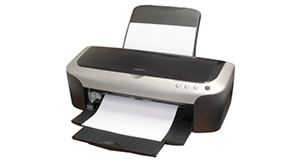
HP ENVY 120 overview
Number of problems: 1
Number of solved problems: 0
Number of unsolved problems: 1
Problem resolution: 0%
Compared to other printers:
Most likely to get a solution:
Canon PIXMA 210 - problem resolution score of 100%
Canon PIXMA 210 - problem resolution score of 100%
Least likely to get a solution:
Brother DCP330C - 0 out of 19 problems solved
Brother DCP330C - 0 out of 19 problems solved
Solved problem list for the HP ENVY 120
(Click on a problem to see the solution)There are no solved problems listed on our records for this printer. To submit a problem or give a solution for an unsolved problem, please see the list on the right.
Unsolved problem list for the HP ENVY 120
(Click on a problem to comment or help)Having replaced an ink cartridge I got a message saying one or more cartridges appeared to be damaged. So I replaced the colour cartridge and got the same message. Then I replaced, for the second time, the black ink cartridge. But to no avail. Suggestions?
Printer working but have to close extended lid manually when turning OFF. When printer started the extending black arm doesn't extend fully as it used to. It seems a mechanical problem that I'll probably have to live with. I may have upset the mechanism by messing about.
printer working but front fascia sticks open and has to be closed manually. The black arm that extends when printer turned ON does not extend as it used to. It seems a mechanical problem but printer works OK other than this. Any help appreciated.
Printer us still working but NO LIGHTS ARE SHOWING at all
All problems on this page have been submitted and answered by users. If you have a problem with the HP ENVY 120, please submit it below and we'll post it here.
 | Back to top |
Can you help?
If you can solve a currently unsolved problem, please select the problem you can solve from the list below.
Even if you can't solve it, you can still comment on problems if you think it would help.
Problem: Having replaced an ink cartridge I got a message saying one or more cartridges appeared to be damaged. So I replaced the colour cartridge and got the same message. Then I replaced, for the second time, the black ink cartridge. But to no avail. Suggestions?
If you can solve a currently unsolved problem, please select the problem you can solve from the list below.
Even if you can't solve it, you can still comment on problems if you think it would help.
Jump to page:
[1]
0 people also had this problem.
Problem: Having replaced an ink cartridge I got a message saying one or more cartridges appeared to be damaged. So I replaced the colour cartridge and got the same message. Then I replaced, for the second time, the black ink cartridge. But to no avail. Suggestions?
There are 0 comments on this problem.
0 people also had this problem.
Problem: Printer working but have to close extended lid manually when turning OFF. When printer started the extending black arm doesn't extend fully as it used to. It seems a mechanical problem that I'll probably have to live with. I may have upset the mechanism by messing about.
There are 0 comments on this problem.
0 people also had this problem.
Problem: printer working but front fascia sticks open and has to be closed manually. The black arm that extends when printer turned ON does not extend as it used to. It seems a mechanical problem but printer works OK other than this. Any help appreciated.
There are 0 comments on this problem.


