

|
|


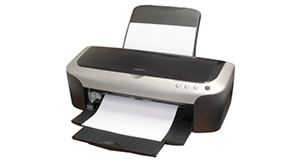
Canon PIXMA IP2600 overview
Number of problems: 54
Number of solved problems: 10
Number of unsolved problems: 44
Problem resolution: 19%
Compared to other printers:
Canon PIXMA IP2600: Likelihood of getting a solution
Ranking: 106th out of 413
Most likely to get a solution:
Canon PIXMA 210 - problem resolution score of 100%
Canon PIXMA 210 - problem resolution score of 100%
Least likely to get a solution:
Brother DCP330C - 0 out of 19 problems solved
Brother DCP330C - 0 out of 19 problems solved
Solved problem list for the Canon PIXMA IP2600
(Click on a problem to see the solution)Waste Ink Tank Almost Full
Prints are coming out too dark
Very low print quality
Genuine original Canon vs Compatible & Refill Cartridges - which should I use?
I refilled the cartridges of my IP2600, how do I reset the ink levels to "full"? I tried the sequences of pushing/releasing the power/resume buttons as suggested on the internet, but they don't work for this printer. I also tried different versions of the iptool program from Russia, but none seems to be valid for the ip2600.
Ink Levels low after moderate use on new Canon PIXMA IP2600
I have put in a new colour cartridge from the Cartridge people which is a remanufactured one. The black one was also from there and was a remanufactured one which is working fine. The alarm light is flashing which the instructions say means the cartridge has not been installed properly. It is in properly. On the Cartridge Peoples website inte FAQ'S one of the FAQ's is what to do if your printer won't recognise the cartridge. It suggests wiping the copper plate on the cartridge with a piece of slightly damp kitchen roll and wait till its dry then put it back. I have also tried this and the printer still won't print. What do I do?
ran out of color ink how can i just use black ink
Ran out of color ink on my Cannon iP 2600. Set to just black ink but STILL will not print. Is cannon MAKING me buy ink? This printer sucks!
i have lost the cd to set up with another laptop. where can i get one?
Unsolved problem list for the Canon PIXMA IP2600
(Click on a problem to comment or help)how to adust the paper type settings
driver linux
The green and orange lights are both on and it won't work help!
head alignment wont work after new genuinge cannon put in.I'm getting numbers running into the lines on the test page and further down double printed numbers.thanks jay
Although my printer is switched on it is not visible to my computer. Connecting cable is OK. Printer is too cheap to consider repair but it would be good if I could use the stock of ink cartidghes that I have in any replacement. Are there any current Canon models that use these?
Resume light flashes seven (7) times
How do I know if im out of ink
i need ot manually align my ip2600 printer head and i don't know how
does not print text only a blank page
it is telling methe tray is closed when itis opened and it will not print
Solutions for the Canon PIXMA IP2600
0 people also had this problem.
Problem: Waste Ink Tank Almost Full
There are 0 comments on this problem.
Solution 1: You can reset the waste ink tank counter yourself. Be aware that this doesn't actually empty the waste ink tank itself (a little felt pad deep inside your printer), but it does allow you to continue printing.
1: Power off printer
2: Hold Resume button then press and hold POWER, the beeper will sound once.
3: Hold POWER and release RESUME
4: Press RESUME twice, then release all buttons
5: When the indicator lights steady, press RESUME three or four times. The indicator should be orange.
6: Press Power to set data
To actually drain the waste ink tank, you'll need to take your printer to pieces and find, clean, wash and dry the felt pads found in the base of the printer. This is a complicated procedure, but it is a good idea to do it if you're technically minded. Many people have just reset the code without actually draining the pads and very few have run into problems as a result. If you do this, you risk damaging your printer and/or the surface it sits on if the pads absorb too much ink. However, if you're going to buy a new printer anyway, you might just reset the code and stand it on a piece of paper or card. It's up to you, just understand the risks.
0 out of 2 people found this solution helpful.
Was this solution helpful?
There are 0 comments on this solution.

0 people also had this problem.
Problem: Prints are coming out too dark
There are 0 comments on this problem.
Solution 1: This is a common issue that is largely down to personal taste. The only real way to improve (i.e. lighten) your prints is to first lighten them using a piece of photo editing software. A good choice would be Adobe Photoshop elements, but there are free alternatives. Do a google search for "Free Photo Editing Software" (there should be a google search box on this page near the top).
0 out of 0 people found this solution helpful.
Was this solution helpful?
There are 0 comments on this solution.
0 people also had this problem.
Problem: Very low print quality
There are 0 comments on this problem.
Solution 1: There are a number of steps you can take to solve this problem (in order of easiest & least expensive first).
1. Make sure you have tried printing a nozzle check and you've carried out all the maintenance tasks that the manual alows (align print head, clean print head etc).
2. Your cartridge may be faulty. Ink cartridges that use non-genuine ink are of variable quality and you use them at your own risk. Even genuine cartridges can expire if used after the expiry date. Bad ink can clog your nozzle. It may be that you have a dried-out ink cartridge - try another one if you have one handy.
3. The print head may need cleaning. There are Canon print head cleaning kits available (use Google top right) or you could try doing this yourself - some people have had success immersing the print head (not the cartridge) in cleaning alcohol, warm water or using compressed air to gently blow through the nozzles.
4. Buy a new print head. Check the prices before you do this as (a) you may be throwing good money after bad, and (b) the price of a new printer may be the same as a new print head. Again, use Google (top right of this page) to search for these if you wish.
0 out of 0 people found this solution helpful.
Was this solution helpful?
There are 0 comments on this solution.
0 people also had this problem.
Problem: Genuine original Canon vs Compatible & Refill Cartridges - which should I use?
There are 0 comments on this problem.
Solution 1: It really is up to you. There are many people who swear by refills and compatible cartridges, and many others who have had problems with them. In a nutshell:
Dangers: Compatible/refilled cartridges vary in ink quality. Poor quality ink can dry out your print head and cause damage. You can replace your print head, but this can cost as much as a new printer. You will also invalidate your warranty by using non-genuine ink.
Benefits: Canon ink is very expensive and good quality compatible substitutes can severely cut the cost of printing without damaging your printer.
Minimise the risks - you can take the following steps to minimise the risks of damaging your printer (it's a good idea to follow this advice whether you use genuine cartridges or not):
- Try not to let your cartridges run dry - this can clog the print head.
- Always power off the printer using the printer's power switch rather than simply unplugging and switching off at the mains. The reason is that some printers keep the ink in a ready (i.e. open) state when they are printing to keep printing time shorter. When you power off the printer, it closes the ink cover, keeping the ink tanks sealed. If you just unplug the unit, it will not cover the print head and leave it exposed. For this reason, you should restart your printer and shut it down again if you experience a power cut while the unit is on.
0 out of 0 people found this solution helpful.
Was this solution helpful?
There are 0 comments on this solution.
- generally, the ink quality of original cartridges is higher, which is important if you want to print photos at home (instead of going to a professional photo print shop, which is probably cheaper)
- the risk of damaging your printer with non-genuine cartridges is a non-argument in my opinion; a set of genuine cartridges costs almost as much (at least in Holland) as a new printer, which includes a set of (partly filled) cartridges.
0 out of 0 people found this solution helpful.
Was this solution helpful?
There are 0 comments on this solution.
0 out of 0 people found this solution helpful.
Was this solution helpful?
There are 0 comments on this solution.


