

|
|


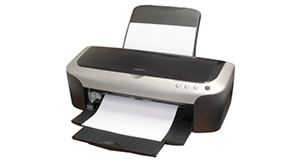
Epson DX4850 overview
Number of problems: 3
Number of solved problems: 0
Number of unsolved problems: 3
Problem resolution: 0%
Compared to other printers:
Epson DX4850: Likelihood of getting a solution
Ranking: 356th out of 413
Most likely to get a solution:
Canon PIXMA 210 - problem resolution score of 100%
Canon PIXMA 210 - problem resolution score of 100%
Least likely to get a solution:
Brother DCP330C - 0 out of 19 problems solved
Brother DCP330C - 0 out of 19 problems solved
Solved problem list for the Epson DX4850
(Click on a problem to see the solution)Printer was working fine but suddenly printed a whole black page and now won't print at all. It sonds like it's printing as the heads are working etc but no ink is coming through.
Unsolved problem list for the Epson DX4850
(Click on a problem to comment or help)Hi all, drive belt at the rear of the cartridge holder has broken. It only comes with the cartridge holder , and not as a separate item , BUT I can't get one anywhere . has anyone out there about to dump a DX4850. where the belt has not broken ? or know where I can get one. paulco1972@gmail.com
my printer ran out of ink, I have replaced the ink cartridges but now it wont work at all the lights are flashing green except for the page light and the ink light help please!!!
has anyone got the crack for the non genuine ink error message please? fj1100mark@hotmail.com
Solutions for the Epson DX4850
0 people also had this problem.
Problem: Printer was working fine but suddenly printed a whole black page and now won't print at all. It sonds like it's printing as the heads are working etc but no ink is coming through.
There are 0 comments on this problem.
Solution 1: Been using a DX 4850 for about 10 years , had a problem just like yours. unplug everything. Uninstall the CD then reinstall as if it was new. It worked for me.
0 out of 0 people found this solution helpful.
Was this solution helpful?
There are 0 comments on this solution.
All problems on this page have been submitted and answered by users. If you have a problem with the Epson DX4850, please submit it below and we'll post it here.
 | Back to top |
Can you help?
If you can solve a currently unsolved problem, please select the problem you can solve from the list below.
Even if you can't solve it, you can still comment on problems if you think it would help.
Problem: Hi all, drive belt at the rear of the cartridge holder has broken. It only comes with the cartridge holder , and not as a separate item , BUT I can't get one anywhere . has anyone out there about to dump a DX4850. where the belt has not broken ? or know where I can get one. paulco1972@gmail.com
If you can solve a currently unsolved problem, please select the problem you can solve from the list below.
Even if you can't solve it, you can still comment on problems if you think it would help.
Jump to page:
[1]
0 people also had this problem.
Problem: Hi all, drive belt at the rear of the cartridge holder has broken. It only comes with the cartridge holder , and not as a separate item , BUT I can't get one anywhere . has anyone out there about to dump a DX4850. where the belt has not broken ? or know where I can get one. paulco1972@gmail.com
There are 0 comments on this problem.
0 people also had this problem.
Problem: my printer ran out of ink, I have replaced the ink cartridges but now it wont work at all the lights are flashing green except for the page light and the ink light help please!!!
There are 0 comments on this problem.


