

|
|


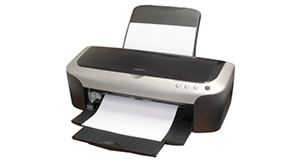
HP Deskjet 1220C overview
Number of problems: 10
Number of solved problems: 1
Number of unsolved problems: 9
Problem resolution: 10%
Compared to other printers:
HP Deskjet 1220C: Likelihood of getting a solution
Ranking: 133rd out of 413
Most likely to get a solution:
Canon PIXMA 210 - problem resolution score of 100%
Canon PIXMA 210 - problem resolution score of 100%
Least likely to get a solution:
Brother DCP330C - 0 out of 19 problems solved
Brother DCP330C - 0 out of 19 problems solved
Solved problem list for the HP Deskjet 1220C
(Click on a problem to see the solution)I have a 1220c that is several years old but unused and still in its box. I've put new cartridges in and downloaded latest drivers but can't get the paper to feed. Orange resume button light keeps flashing. any ideas? Thanks.
Unsolved problem list for the HP Deskjet 1220C
(Click on a problem to comment or help)The on /off button (green) when pressed will not stay lit. Any ideas?
rapid flashing on all LEDs and a crunching sound I paper feed system
5.If the Print Cartridge light is still blinking, push down firmly on the center of the Access Cover (the extra pressure may engage the sensor). If the Print Cartridge light quits blinking, remove the pressure from the Access Cover to see if the Print Cartridge light starts blinking again. Re-apply the pressure to the center of the Access Cover to see if the Print Cartridge light stops blinking again.
I have an HP1220C that has a paper feed problem. Paper will not feed from either of the front trays but is ok using the rear feed, and I have discovered that the input tray assembly is not lifting so cannot feed paper to the rollers. I've got as far as taking the input tray assembly out and now I can see the up and down movement is controlled by a spring inside the input tray and a cam on the roller shaft above it. (This shaft is the one with the rubber 'D' roller on it). My question is what makes that shaft start turning in the first place? There are gears on the left side that will drive it when it is moved to the correct place, but at its rest position it seems to need something else to start it turning, and then its gear can mesh with the driving gear above it. I hope that all makes sense. Any help, info or advice will be greatly appreciated.
My HP Deskject 1220C shows the resume button light is on (not blicking) and I can not print anything.
printing on two pieces of paper
My hp deskjet 1220c will not print in black. I have changed both black and colour cartriges with genuine hp new ones and still the bklack does not print? Please can you advise.
hp deskjet 1220c(my printer after any print print a extra test page)!!!!!
The printer has power but will not respond or print. When a document is sent to the printer it shows an error message in the print que and all 3 lights on the printer flash. Could the waste tank be full and if so how do I clean it. When the lid is opened to bring the ink tanks to the center, nothing happens. The ink tanks stay to the right. Thanks
Solutions for the HP Deskjet 1220C
0 people also had this problem.
Problem: I have a 1220c that is several years old but unused and still in its box. I've put new cartridges in and downloaded latest drivers but can't get the paper to feed. Orange resume button light keeps flashing. any ideas? Thanks.
There are 0 comments on this problem.
Solution 1: I know this is going to sound stupid, but bear with me.
Is the paper in the right place?
I have a HP1220c which I had not used for several years, and when I got it out of storage it wasn't picking the paper up.
'Bugger' I thought.
But (even though I had used this printer a lot in the past) I had put the paper in the wrong place.
Bottom 'tray' is the input tray, and the paper nesd to be up against the right hand side. I put it in to the left.
Once in the correct 0place, it picked up the paper without any probems.
I had lots of new, seale, but out of dat cartridges, all of which refused to wornk, but that's another problem - but often VERY to fix.
0 out of 0 people found this solution helpful.
Was this solution helpful?
There are 0 comments on this solution.
All problems on this page have been submitted and answered by users. If you have a problem with the HP Deskjet 1220C, please submit it below and we'll post it here.
 | Back to top |
Can you help?
If you can solve a currently unsolved problem, please select the problem you can solve from the list below.
Even if you can't solve it, you can still comment on problems if you think it would help.
Problem: The on /off button (green) when pressed will not stay lit. Any ideas?
If you can solve a currently unsolved problem, please select the problem you can solve from the list below.
Even if you can't solve it, you can still comment on problems if you think it would help.
Jump to page:
[1]
0 people also had this problem.
Problem: The on /off button (green) when pressed will not stay lit. Any ideas?
There are 0 comments on this problem.
0 people also had this problem.
Problem: rapid flashing on all LEDs and a crunching sound I paper feed system
There are 0 comments on this problem.


